


Macabre Color Paint By Number
4.81.77K Reviews
App Specs
- Version
- 1.3.8
- Updated On
- License
- Free
- Downloads
- 1,000,000+
- Developer
- Art Coloring Group
- Categories
- Board
- Platform
- Android, iOS
Screenshots
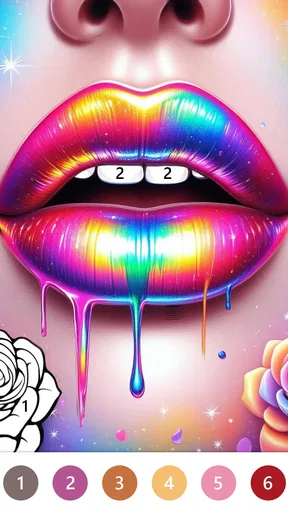
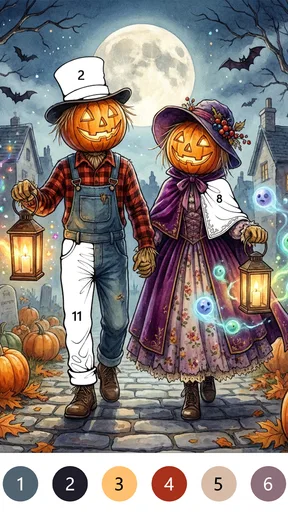
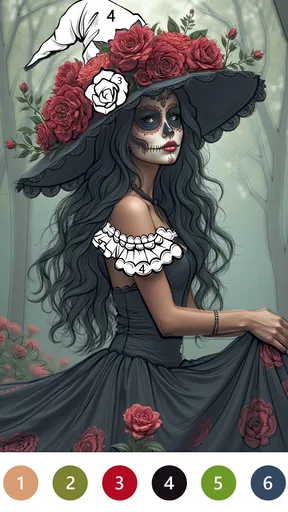
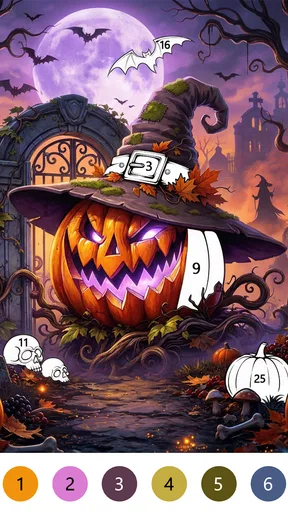
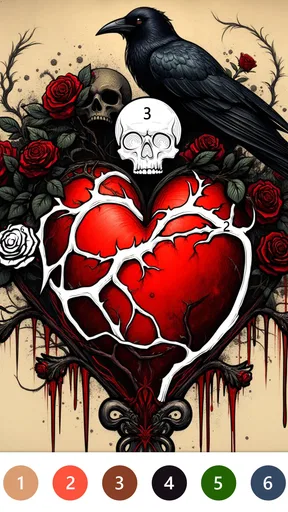
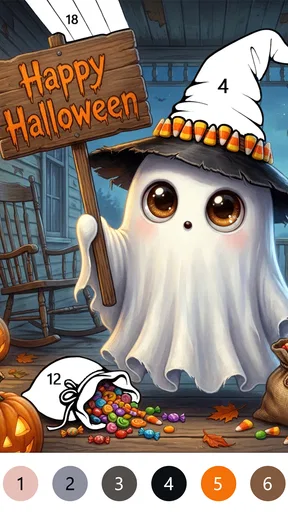
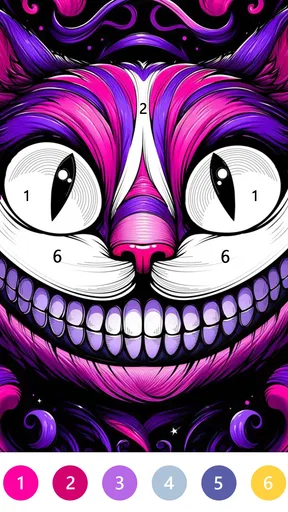
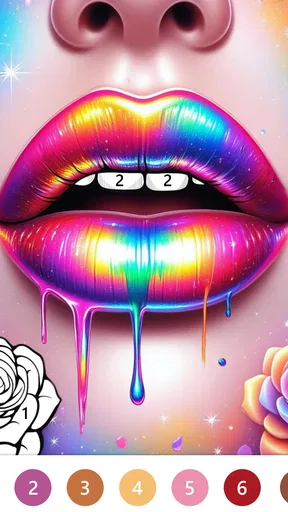
 Analysis by AppCompare
I like paint-by-number games when they give me a clear, low-pressure task rather than asking me to create a picture from scratch. Macabre Color Paint By Number leans into that appeal with a gothic mood: the pleasure is in gradually revealing a scene, one numbered patch at a time. It suits a quiet break, especially if you enjoy spooky imagery more than the bright, cheerful subjects common in coloring apps.
A simple routine for settling in
My most comfortable way to use a paint-by-number game is to choose one picture, get settled, and work through it without treating completion as a race. Here, the numbered sections make the next action obvious, so I can focus on the image instead of deciding what to draw. I’d start with a design that looks inviting rather than picking the most detailed image just because it appears dramatic; a manageable first session is a better way to see whether the art style and tapping rhythm suit you.
That routine also makes the game easy to fit into ordinary gaps in the day. I can imagine opening it while waiting for an appointment or taking a short pause between chores, filling a few areas, then returning later when I have more time. The appeal is not that every session has to produce a finished picture. It is that the task gives a small, defined focus when I want something gentler than a competitive game or an open-ended creative project.
What to check before you settle into a session
Before making this a regular evening habit, I’d spend a moment looking through the controls and any visible options rather than assuming every paint-by-number app behaves the same. The dark visual theme is part of the attraction, but a moody screen is not automatically easier on the eyes. I would keep the room comfortably lit, adjust the device’s own brightness to suit the surroundings, and take a break if a long session starts to feel tiring. Those small habits matter more than trying to make the display as dim as possible.
The game includes an undo control, which is useful when a tap lands on the wrong area. I’d treat it as a correction tool, not a reason to rush: pause, check the numbered patch, then undo if needed. If you are deciding whether to spend money, remember that the game is free to download and offers in-app purchases priced from $0.99 to $59.99 per item. I’d first see how the free experience fits your routine and only consider a purchase if you understand what it adds and genuinely want it.
Small habits that make the coloring flow better
A useful approach is to work in short, intentional passes. I’d scan the picture for areas that look easy to identify, complete a few, and then reassess instead of tapping rapidly across the whole screen. That reduces mistaken taps and gives the image time to take shape. If a section feels fiddly, switching briefly to a different part can be more relaxing than insisting on finishing it immediately.
Sharing is best treated as an optional finishing touch. When I complete an image I’m especially pleased with, the in-app sharing option gives me a way to show it to someone; if I’m using the game purely to unwind, I can simply leave the finished artwork as a private little reward. That distinction helps keep the activity enjoyable rather than turning every picture into something that needs an audience.
Worth Reading Before You Choose

EA SPORTS FC Mobile 26 Is a Bigger Football Game, but It Takes Time

Flipboard Shows What News Apps Must Do Beyond the Feed

Switching to Android Auto Means Rethinking Your Driving Routine

Google Calendar Makes a Crowded Week Easier to Manage

Ludo King Makes the Most of the Minutes Between Plans

Baby Panda World Brings Quick Play to Modern Phones, but Its Game Library Feels Busy
Where this style may not work for everyone
Macabre Color is a board game, but its appeal is closer to a focused coloring activity than to a traditional board-game match. If you want strategy, direct competition, or a social game built around turns, I’d choose a different kind of board title. It also won’t be the best fit if you prefer making your own compositions: numbered regions guide the process, so the satisfaction comes from completing a prepared image rather than drawing freely.
The dark subject matter is another real preference filter. A gothic look can feel distinctive and relaxing to me, but it will not suit someone who wants cheerful scenery or a neutral coloring book. And while a simple tap-based routine is easy to pick up, it can become repetitive if you need changing mechanics or a stronger challenge to stay engaged. I’d think of it as a calm, theme-led pastime, not a substitute for a full art tool or a puzzle with evolving rules.
For a practical test, I’d try it during a short break on a day when I want something quiet: choose a picture, color for a few minutes, and notice whether the numbered process feels soothing or monotonous. That gives a more useful answer than judging the app only by its dark artwork. If the tapping feels pleasant and the theme holds your interest, it has a clear place in a casual routine; if you find yourself wishing for freehand controls or more varied play, that is a good sign to move on.
Macabre Color Paint By Number is free, rated for Everyone, and developed by Art Coloring Group. It has a 4.7 average from around 11,000 ratings and more than a million installs, so it has found an audience beyond a niche group of gothic-art fans. It was released on March 13, 2024, and version 1.3.5 requires Android 7.1 or later. Those details make it easy to judge basic fit, while the theme and the calm, repetitive interaction are what determine whether you’ll actually keep opening it.
Let me tell you about my recent deep dive into the world of Macabre Color Paint By Number, an app that’s been making quite the splash among art enthusiasts who enjoy a darker twist. If you’ve ever found yourself doodling skulls in the margins of your notebook, this app might just be your new best friend.
Unveiling the Dark Artistry
First off, Macabre Color Paint By Number is not your typical paint-by-number app. Instead of the usual cute animals or serene landscapes, you're greeted with hauntingly beautiful artwork that feels like a Tim Burton movie came to life. As soon as I opened the app, I was sucked into a world of shadowy figures, eerie creatures, and gothic themes.
The interface is sleek and intuitive. You’ve got your main gallery of artworks, each one more intriguing than the last. I particularly loved how the app categorizes images based on themes like "Gothic Glamour" and "Vintage Horror." It makes navigating through the dark art wonders a breeze.
The Painting Experience
So how does the painting part work? Well, it's delightfully simple yet satisfying. You select an artwork, and it breaks down into a grid with numbers. Each number corresponds to a color, and you just tap away to fill in the sections. It's almost meditative, watching the picture come to life as you color.
What’s cool is the color palette itself – it’s not the bright, cheery hues you’d find in other apps. Instead, expect deep reds, shadowy blacks, and muted purples, which really enhance the overall atmosphere of the artwork. The app does a fantastic job of blending these colors to create a vivid, albeit spooky, masterpiece.
Features That Stand Out
One of the features that caught my attention was the "Dark Mode" option. Not only does it save your eyes during late-night coloring sessions, but it also adds to the immersive experience. Plus, the app offers a handy "Undo" button, which is a lifesaver if you have a slip of the finger.
Another neat aspect is the "Share Your Art" feature. Once you complete an artwork, you can easily share it on social media or with friends directly from the app. It’s a great way to showcase your creativity and maybe even spook a friend or two with your new eerie creation!
My Personal Take
If I'm being honest, I didn’t expect to enjoy Macabre Color Paint By Number as much as I did. The app is a perfect blend of creativity and relaxation with a dash of the macabre. It’s not just about coloring; it’s about stepping into a different world, one that’s a little darker and a lot more intriguing.
Whether you’re an art lover looking to explore new styles or someone who just loves all things spooky, this app offers a unique experience that stands out from the crowd. So, grab your virtual paintbrush and dive into the beautifully eerie world of Macabre Color Paint By Number. Trust me, you won’t regret it.
And there you have it, folks! If you’re ready to embrace your inner gothic artist, you can download the app from the link below and start painting your way through the dark and delightful galleries.
Pros
- Wide variety of eerie designs to choose from.
- User-friendly interface with intuitive navigation.
- Relaxing and stress-relieving coloring experience.
- Offline mode available for uninterrupted play.
- Frequent updates with new spooky content.
Cons
- Limited free designs; in-app purchases needed.
- Ads can be intrusive during gameplay.
- Some colors may appear different on devices.
- Requires a stable internet for initial download.
- No option to create custom coloring pages.
FAQs for Macabre Color Paint By Number
What is Macabre Color Paint By Number?
Macabre Color Paint By Number is an art app that combines the thrill of coloring with a macabre theme. Users can enjoy coloring intricate designs featuring gothic and eerie elements. It’s perfect for those who love horror aesthetics and want a creative way to unwind.
Is the app free to use?
Yes, Macabre Color Paint By Number is free to download and use. However, it may offer in-app purchases for additional coloring pages or features. These purchases can enhance the user experience but are not necessary for enjoying the basic features of the app.
What are the system requirements for the app?
Macabre Color Paint By Number requires Android 5.0 or later and iOS 10.0 or later. This ensures compatibility and optimal performance. It’s recommended to have a stable internet connection for downloading additional content and updates.
Are there any ads in the app?
Yes, the app includes ads to support its free version. These ads may appear between coloring sessions or when accessing certain features. Users can opt for an ad-free experience by purchasing a premium version or subscribing to a weekly or monthly plan.
Can I share my completed artwork?
Absolutely, the app allows you to share your completed artwork directly to social media platforms like Instagram, Facebook, and Twitter. You can also save your creations to your device’s gallery. This feature is perfect for showcasing your artistic skills to friends and followers.


